Learning Japanese with Shin-chan
· 3 min read
I’ve never really been into anime. A lot of it is fantasy or action, and the Japanese follows suit: big speeches, catchphrases, people talking the way nobody actually talks.
What I do like is slice of life. Family, school, neighbors, a summer in the countryside. Not much happens, and that’s what makes it good for learning: everyone just talks normally. It’s the Japanese you’d actually hear.
Shin-chan
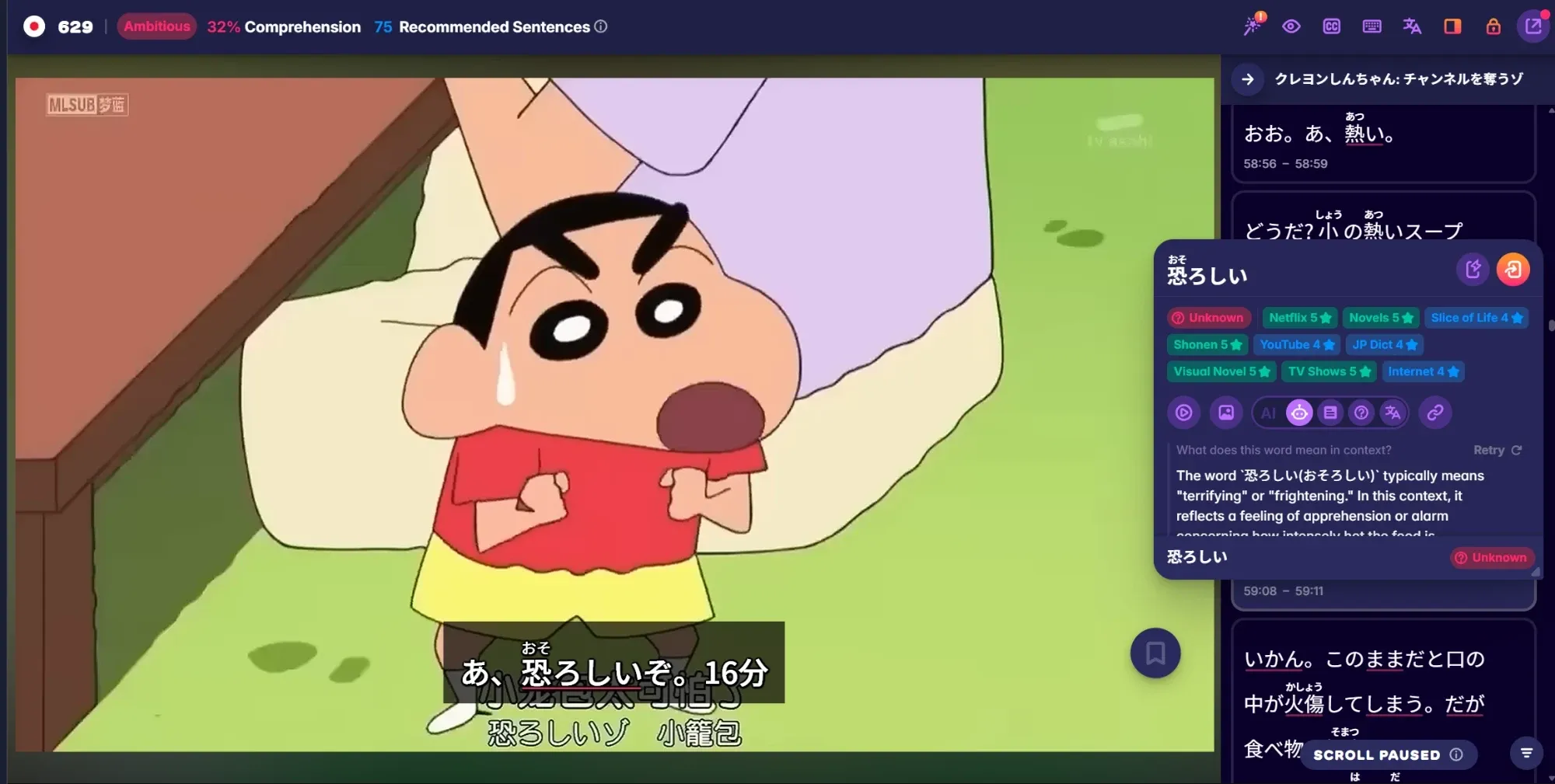
I started with Shin-chan on YouTube. Migaku puts the subtitles and a transcript next to the video, and clicking any word gives you its meaning and a card.
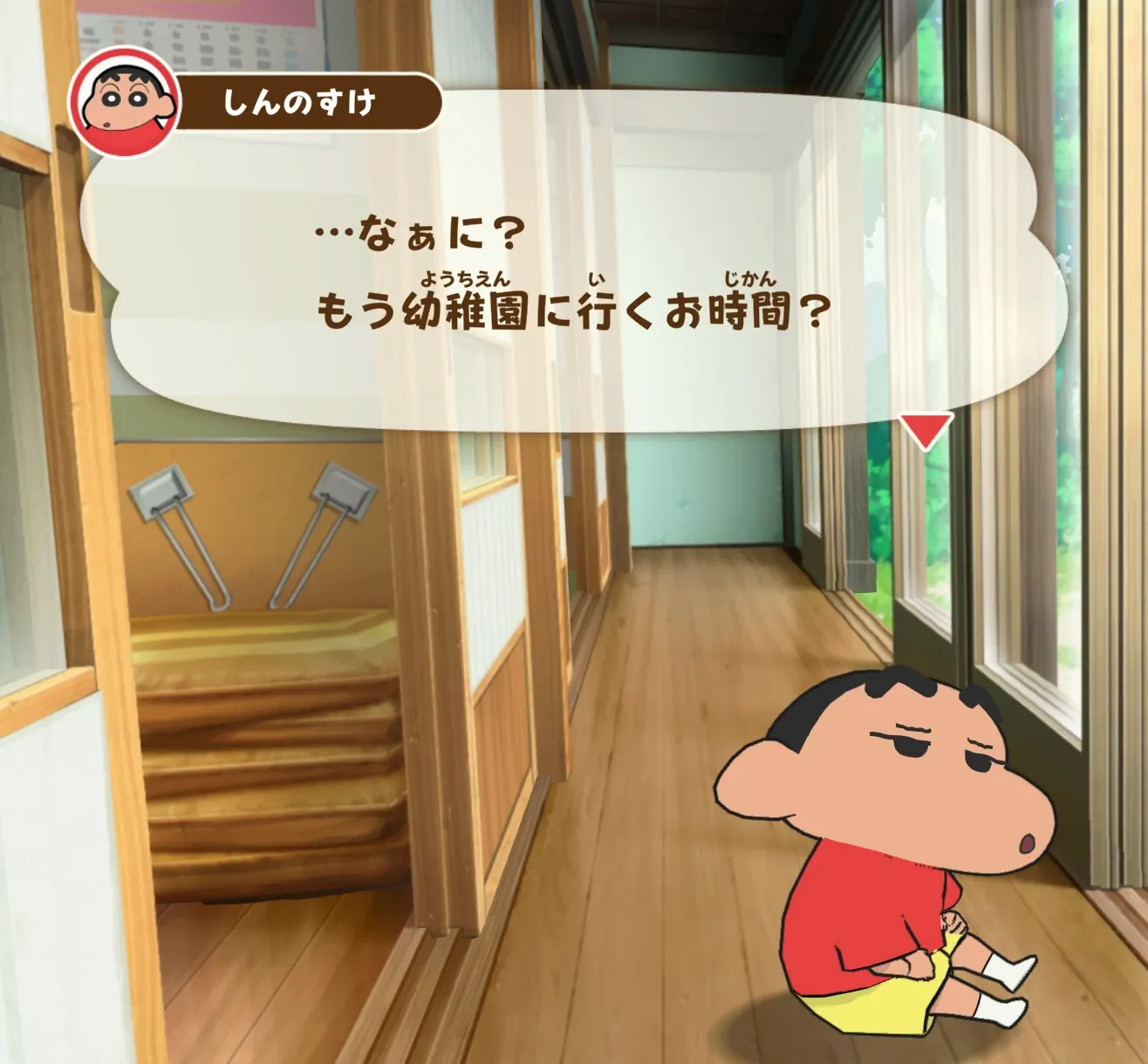
Then I got into the games. They’re slice of life you get to play. You run around a village as Shinnosuke, catch bugs, and talk to everyone you meet. The dialogue is short, casual and spoken, and the game even puts furigana over the kanji.
It’s synthetic immersion, but it feels a lot more interactive than a YouTube video or reading something. You’re not just watching the language go by. You need to understand it to know where to go next.
The tedious part
Making flashcards from the games was the problem. On YouTube, Migaku does that in a click. In a game, every word I didn’t know meant pausing, looking it up somewhere else and building the card by hand. That kills the flow, which is half the reason to learn from a game in the first place.
There are tools for this. Most are OCR pipelines: one program to capture the screen, another to recognize the text, a browser tab to receive it, and a dictionary extension on top. I have a technical background and I still found them cumbersome. Lots of setup, lots of moving parts, and something always needed fixing before I could actually play.
I just wanted one thing I could open, press a button, and have it work.
GameYomi
So I built GameYomi. Press one button while you play (a key, or a paddle on my controller) and it reads the text on screen and lays it back over the game as real text, right where the game drew it. Migaku treats that text like any web page: unknown words are underlined, and clicking one opens its definition with a button to make the card.
Here’s a line from the game as it normally looks:
And with GameYomi on, after clicking 時間:
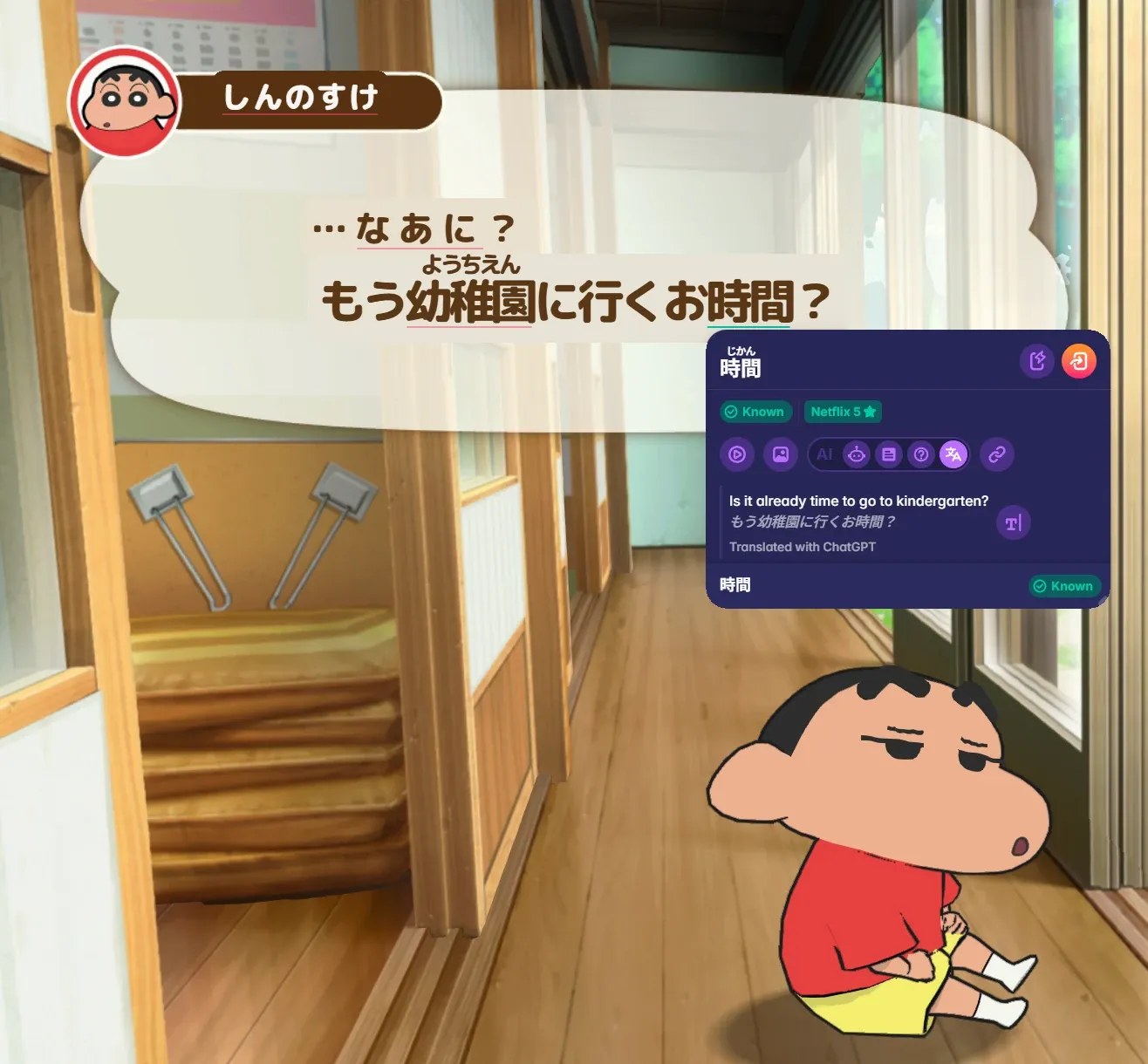
Press the button again and it gets out of the way. No browser tab, no texthooker, no config files. It’s not specific to Shin-chan either: it reads whatever game you’re playing.
Setting it up
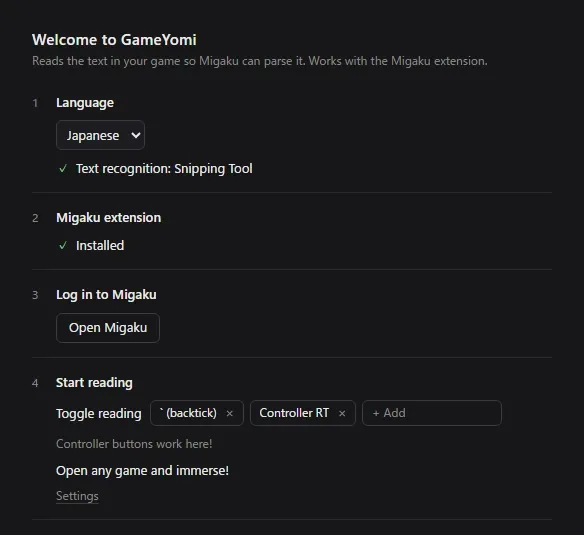
It’s one window: pick your language, let it add the Migaku extension, log in, and choose a toggle button. Then open any game.
It’s $9, for Windows: gabek.dev/gameyomi.