GameYomi
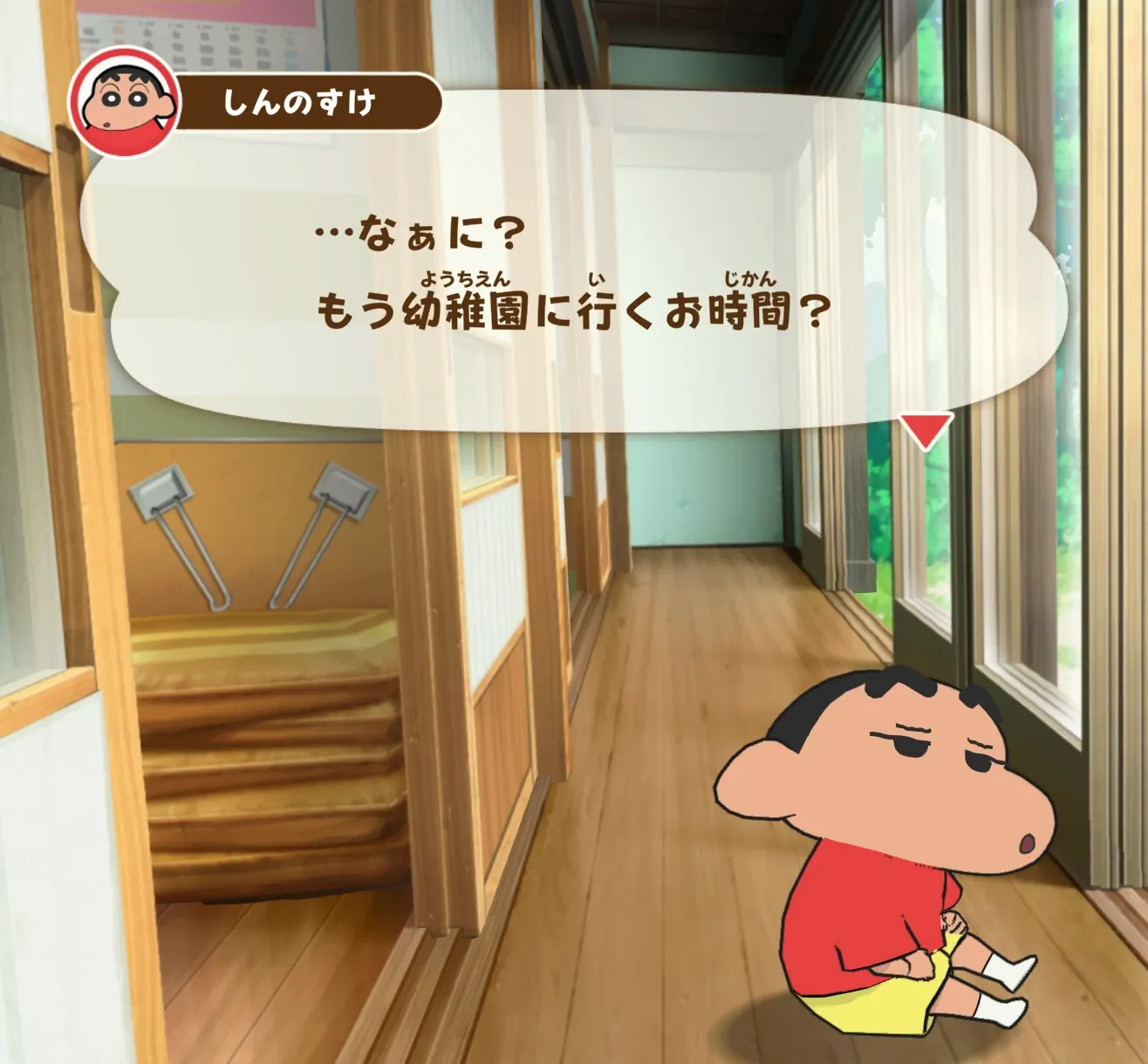
Press a button while you play and read the game’s text with Migaku.
For Windows, $9.
How it works
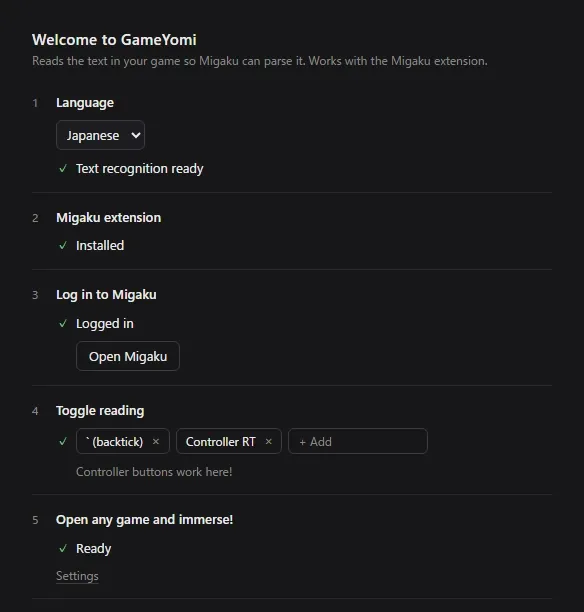
- Bind a button. Any key, mouse button or controller button.
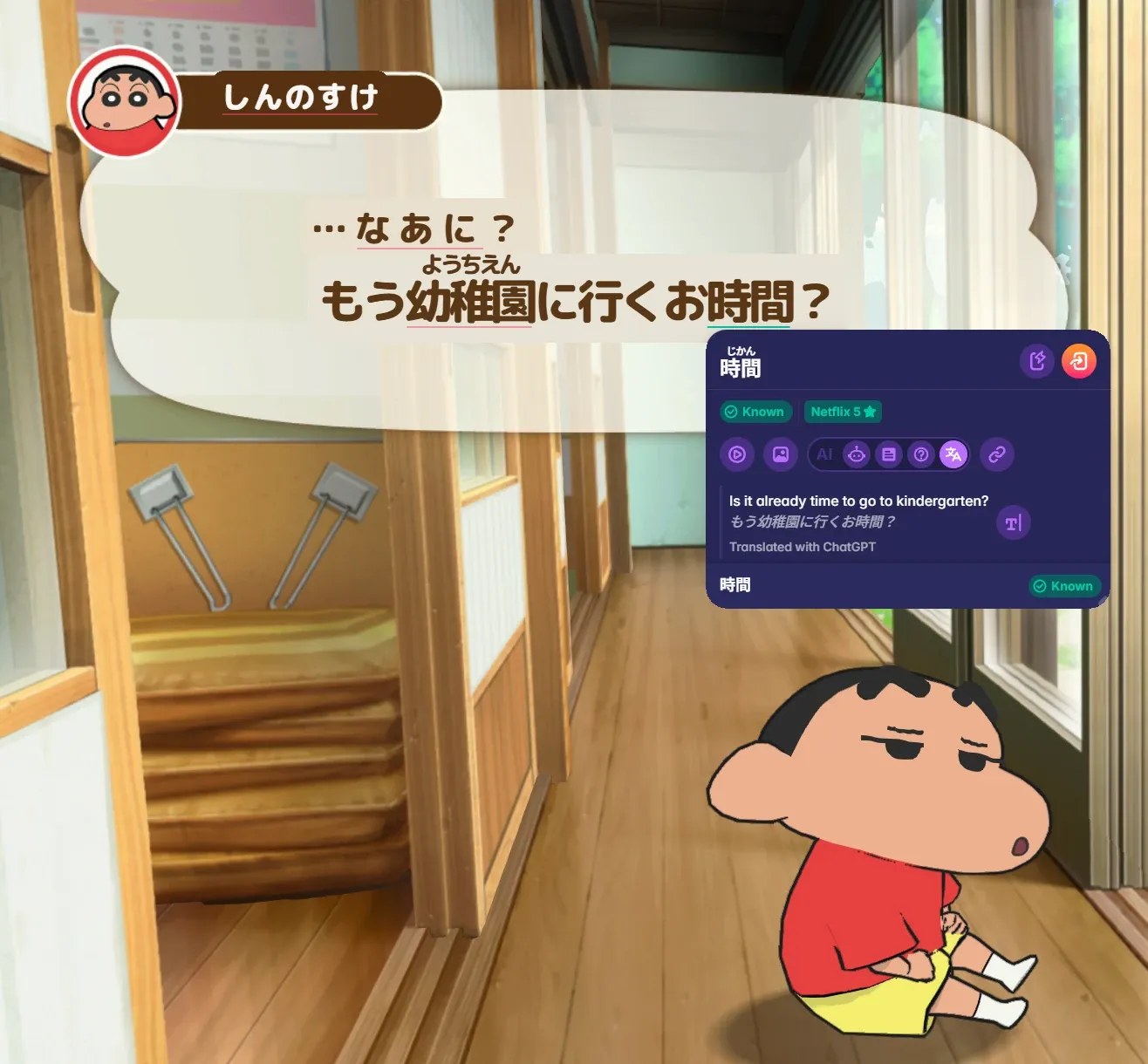
- Press it in a game. GameYomi reads the text on screen and lays it back over the game as real text that the Migaku browser extension parses. Recognition runs offline on your PC; nothing is uploaded.
- Click words. Known and unknown words are colored. Click one for Migaku’s dictionary popup and add a card in one click. On a controller, the D-pad steps word by word.
A reading history lets you mine sentences later.
Japanese first, furigana included. Also Chinese, Korean, Spanish, French, German, Portuguese, Italian and English.
Requirements
- Windows 10 (version 2004 or later) or Windows 11, 64-bit. Mac later.
- A Migaku account.
- The game in windowed or borderless fullscreen mode. Exclusive fullscreen isn’t supported.
Price
$9, once. One license covers up to two PCs, and every update is free.
Checkout by Polar, the merchant of record, which handles sales tax and VAT.
Questions
- Is it safe with anti-cheat like VAC?
- GameYomi never injects into a game or touches its memory or files. It reads the screen and draws its text in its own window (WebView2) on top of the game, so there is nothing for anti-cheat like VAC to flag. That is also why it needs windowed or borderless mode: exclusive fullscreen does not let other windows sit on top of the game.
- How many activations do I get?
- Two. One license works on up to two PCs. Deactivate one in GameYomi to move it to a new PC.
- What if it doesn’t work on my PC?
- Email me at hello@gabek.dev within 14 days and I’ll refund you.
- Why does Windows warn me the first time I run it?
- The app is new, so Windows doesn’t recognize it yet, and SmartScreen or Smart App Control may show a warning on first run. For SmartScreen, choose More info, then Run anyway.